Sanctuary Pianos - Templates and Patches for MainStage
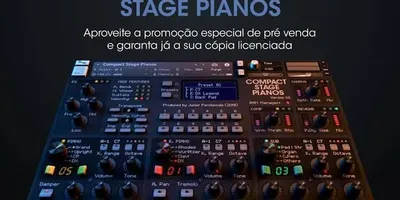
A collection of pianos and pads ready to play in MainStage. Rich sounds, expansive reverbs, and pre-assigned controls, designed specifically to create worship atmospheres without overloading your Mac.
We know that Kontakt has some spectacular pianos, but let's be honest: not all of us have a Mac with 32GB of RAM to run them without the audio cutting out in the middle of a service.
If you're looking for a piano sound from first level for worship without slowing down your computer, the Sanctuary Pianos are the ultimate solution. This collection was designed and processed using MainStage's internal sound engines, optimized to deliver massive sound without draining your system resources.
What makes Sanctuary Pianos special?
- Intimate and dark pianos: Unlike the typical bright "Grand Piano" sound, these sounds have subdued high frequencies and a very warm tone. They are ideal for moments of ministry, altar calls, or for playing along with the lead vocals without getting in the way.
- Built-in environmental sensors: The preset comes with pre-configured "layers" of ethereal and warm pads. You can blend them in gradually using the Mod Wheel (the modulation wheel on your keyboard) or a fader.
- Heavenly reverbs: The secret to a good church piano lies in the effects. These patches use Logic/MainStage's reverbs and delays (such as the Space Designer) set with long durations (tails) so that the chords linger in the air.
- 100% Native: Since they don't rely on external plugins, they load in seconds and are much more stable when live.
What's included in this download?
- The MainStage Concert file (.concert) is ready to be opened.
- Individual patches (.patch) in case you want to import them into your current template.
- Basic mapping already configured: Piano volume, pad volume, filter, and reverb control.
Instructions for Use
- Download the file by clicking the button below and unzip it.
- Make sure MainStage is closed.
- Double-click the file
.concertincluded in the folder. - MainStage will open automatically. Go to the tab Layout (Setting) if you need to reassign the on-screen faders to the physical knobs on your MIDI controller keyboard.
- Go to the "Perform" tab and immerse yourself in worship!
(Note: Requires Apple MainStage 3.4 or later to function properly.)
Obtén este recurso gratis
Este archivo está alojado en nuestro canal de Telegram oficial para garantizar una descarga rápida y segura, libre de límites de velocidad.
💬 ¿Tienes dudas o quieres dar las gracias?
Únete a nuestro Grupo de Telegram